Douyin, WeChat Channels, Kuaishou, Xiaohongshu, Moments, Official Accounts, Taobao, JD, Weibo, Bilibili —
every platform crops, scales and covers the frame differently.
INSIGHT FitCheck puts the finished cut inside the real interfaces of all ten,
so crushed subtitles, cropped subjects and off-safe-area text are visible before delivery.
Free · no sign-upRuns locally · footage not uploadedCurrent version · v3.9.2
Real interface
Let it run once on its own.
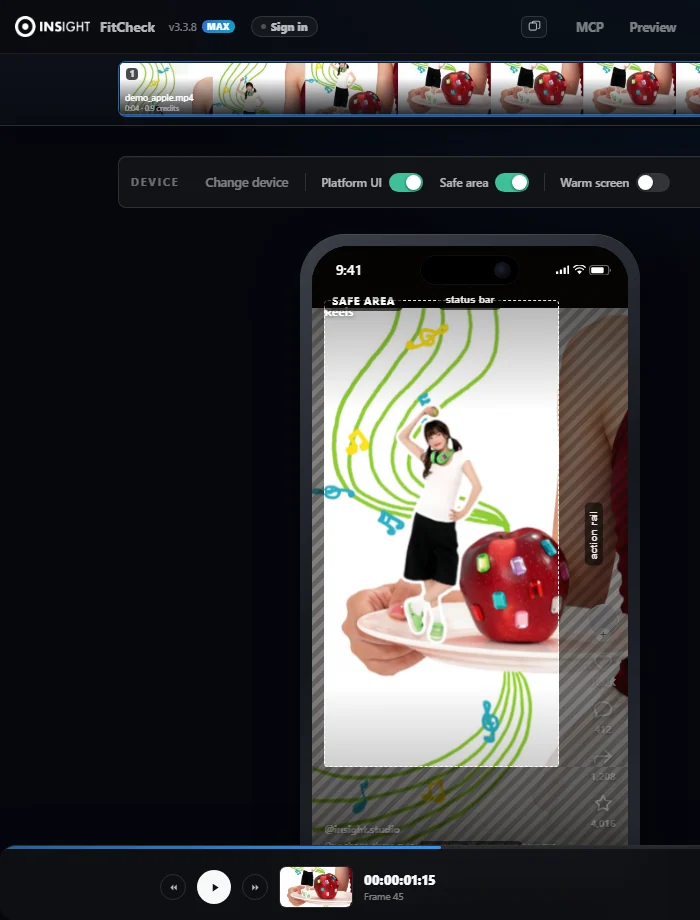
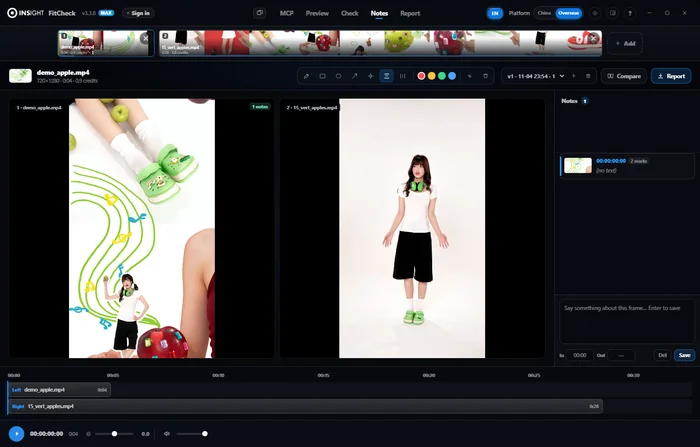
Drop in a cut → turn on the safe area → mark one note → export the report. What plays below is the real interface, auto-played — nothing here is a drawn mock-up.
01 Drop the cut in
How it works
Three steps, ten platforms, one pass.
No need to memorise each platform's rules. What they look like and what they cover is laid straight onto the frame.
1
Drop the cut in
Drag it into the browser or the client. No sign-up, no upload wait. The footage stays on your own machine.
2
Pick a platform, see the overlap
Shell, dynamic island, button column, caption area — all placed where they really sit. The dimmed parts are the ones that get covered.
3
Mark it, export the report
Boxes, arrows, subtitle bands — mark the problem on the exact frame, then export one annotated image and send it out.
Capabilities
Everything you need. Not one byte you should not send.
10
Ten platforms, real interfaces
Douyin, WeChat Channels and Kuaishou shells with their dynamic islands; Xiaohongshu, Moments, Official Accounts, Taobao, JD and Weibo cards; the Bilibili player — pre-rendered from each platform's own screenshots, not hand-drawn mock-ups.
▣
Safe areas you can see
The dashed box is the range the platform will not cover; the four dimmed edges are what the interface eats. No rules to memorise — read the colours.
✎
Five annotation tools
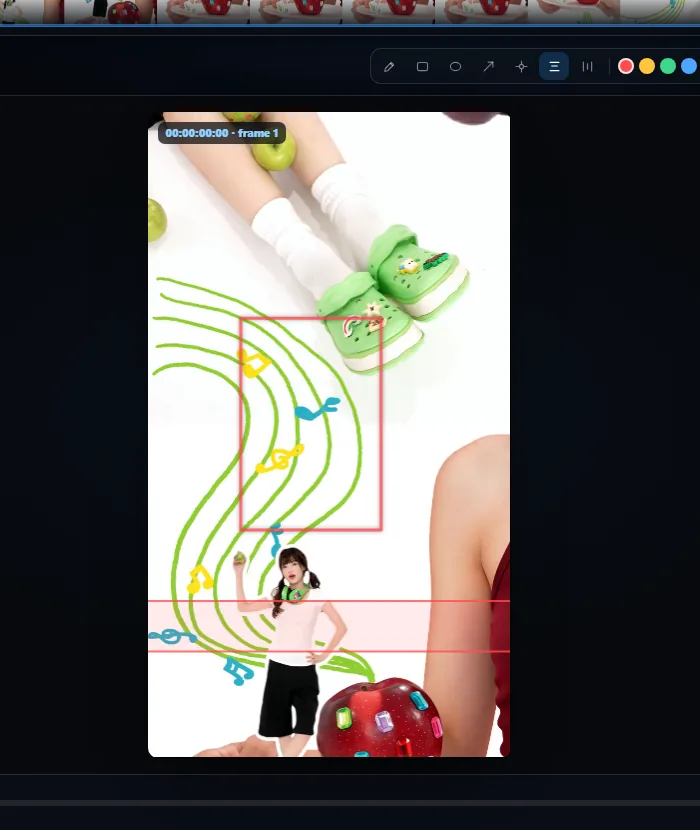
Pen, rectangle, circle, arrow, subtitle band. The band runs across the full frame — built for checking whether subtitles get pressed by the interface.
▤
One-click report
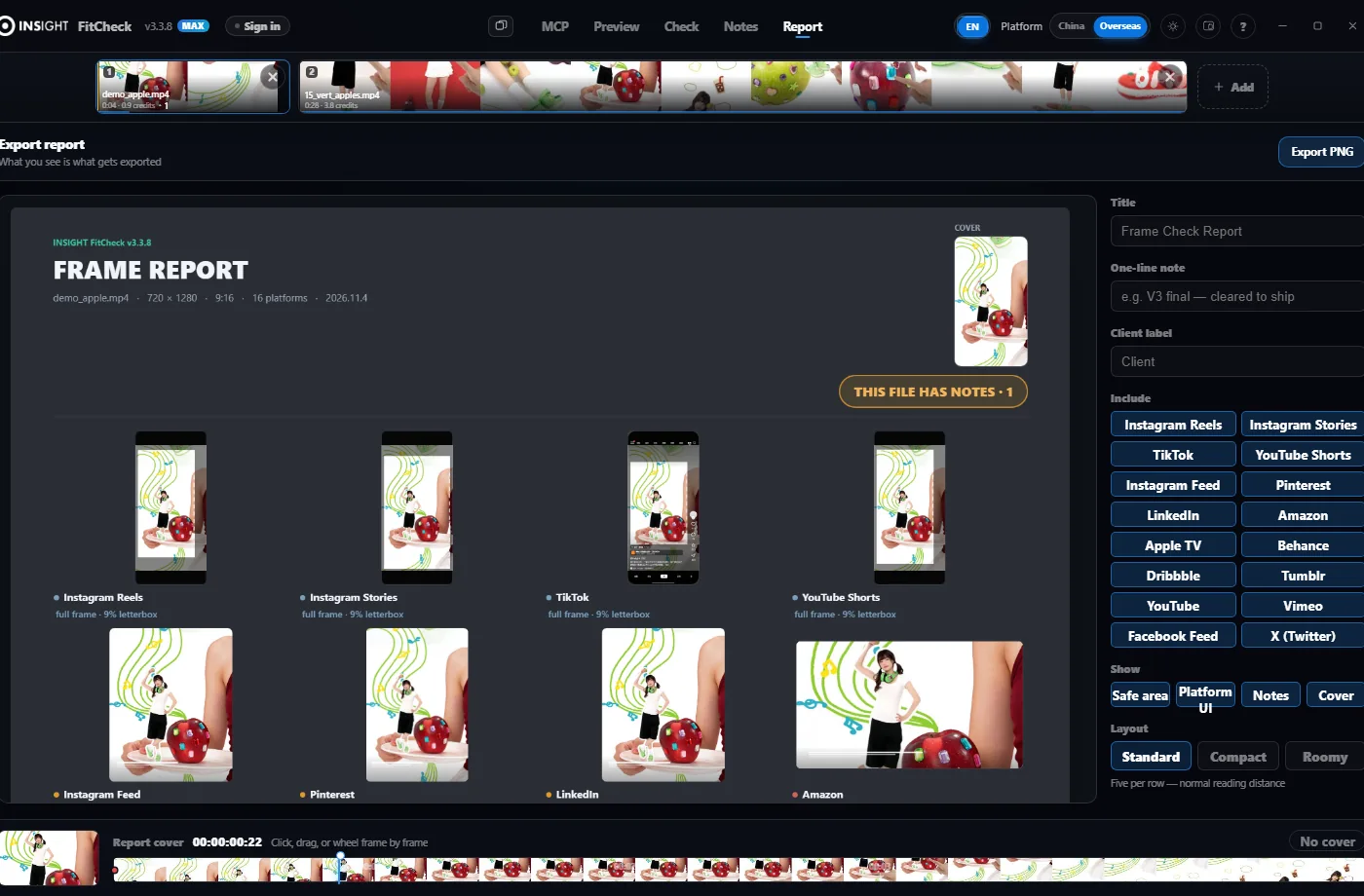
Current frame + platform interface + safe area + notes, merged into one image. Title, memo and client name are editable; the cover can be switched off.
◎
Online notesbeta
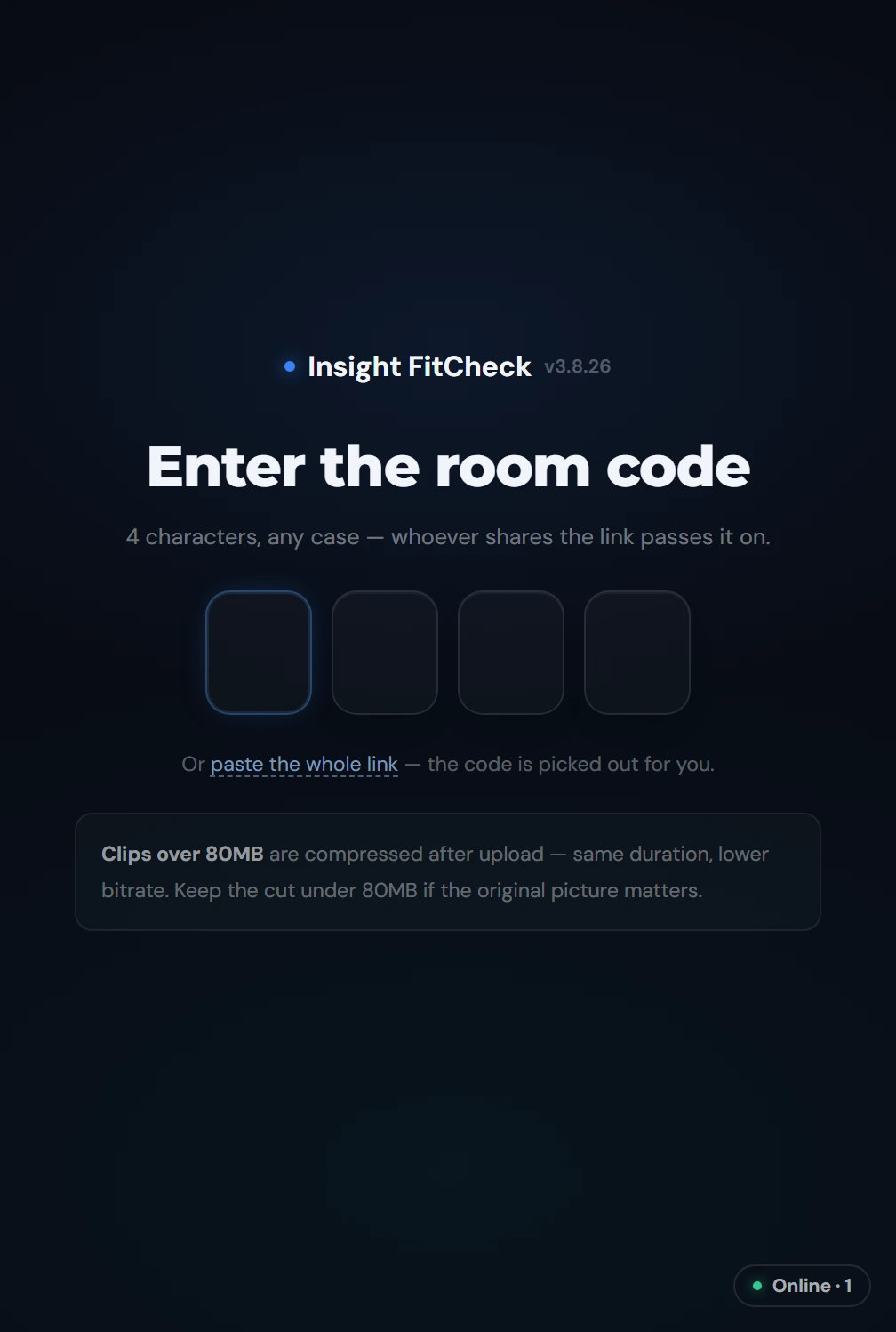
A four-character code lets the client watch, draw and write in a phone browser with nothing installed. Whatever they mark lands on your side in real time.
⌂
Everything computed locally
Frame analysis runs on your machine and the result stays there too. Unreleased cuts can go in with peace of mind.
Online notes · beta
The client installs nothing. Four characters and they're watching.
It exists for one very concrete scene: the cut goes over, and the client types
“around the third second, that bit” in WeChat. Both sides go back and forth and still fail to land on the same frame.
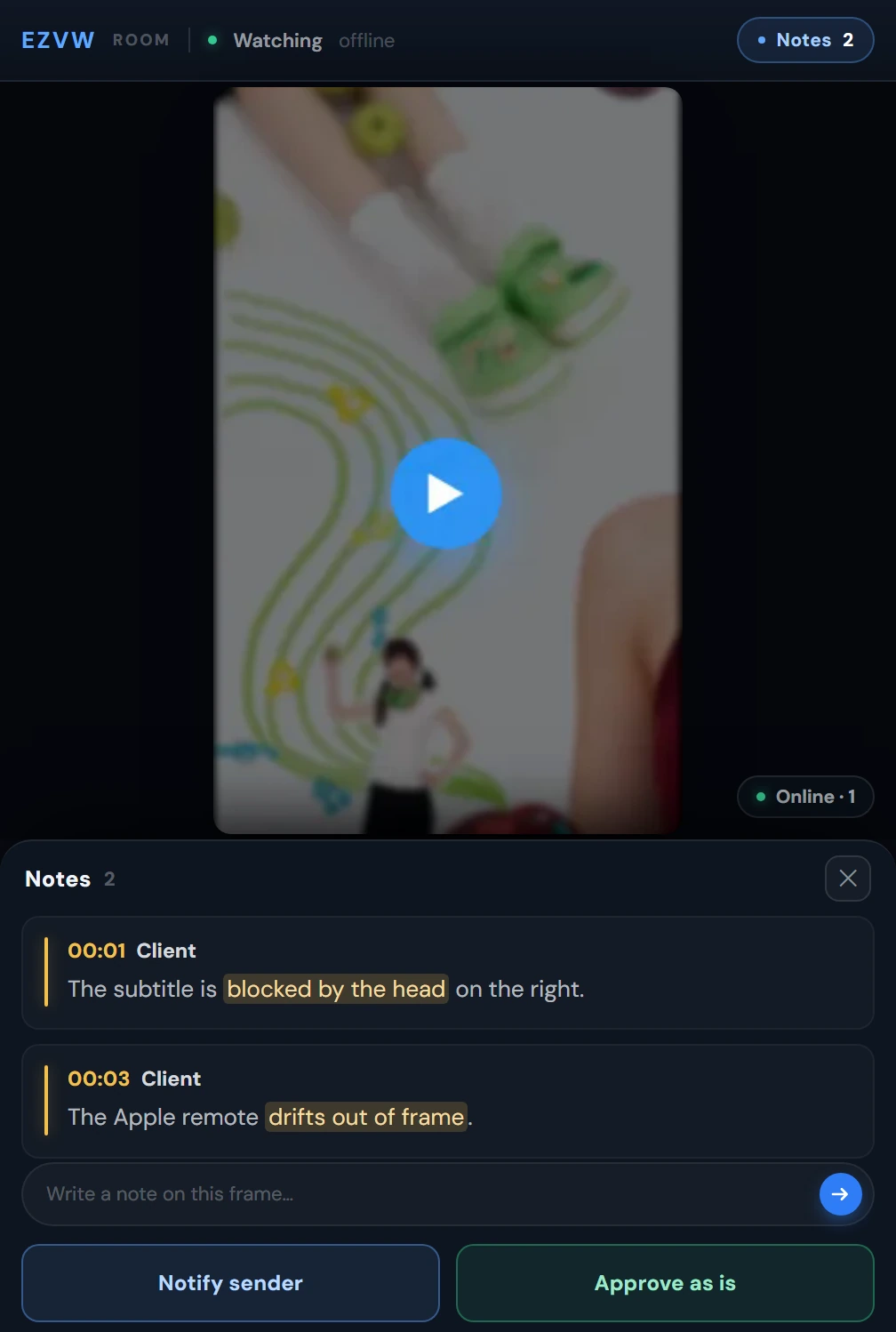
Now a four-character code opens a player in their phone browser: they can scrub, draw a box, write a note,
and it stops on the exact frame. When they hit “notes done, notify sender”, a sound and a notification reach you at once.
On the client's phone: the frame, their notes, and one field to add another — no app, no account.Four characters is the only gate — no sign-up, no app.
4 charsWhat the client types
0 installOpens in a phone browser
80MBProxy cap, auto-compressed above it
4 coloursFixed per IP, so you can tell who raised what
Four surfaces
From preview to report, no other tools.
One cut goes in; check, notes, version compare and report all finish in the same window.
01
Check
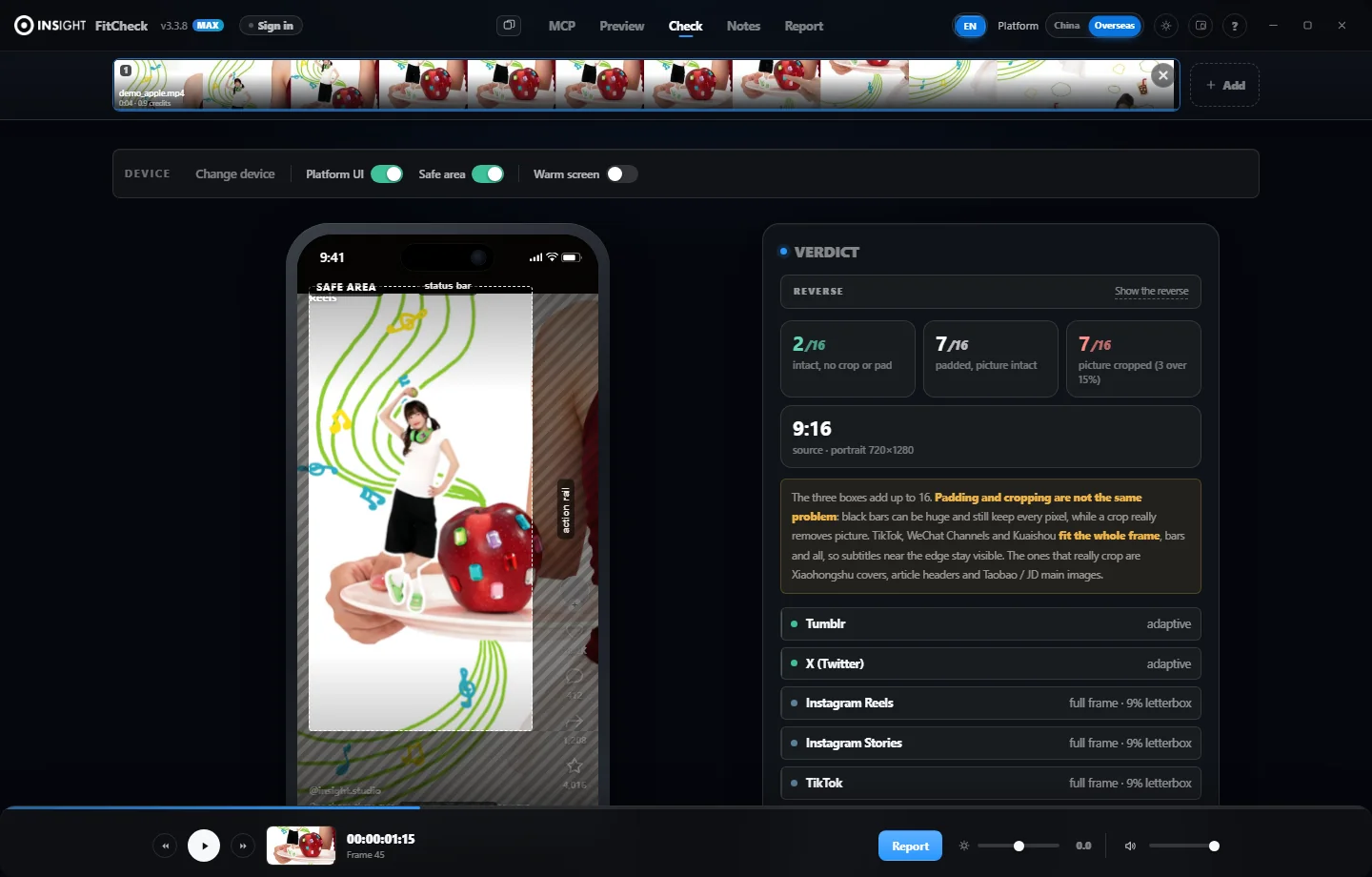
Ten platforms' interfaces and overlaps in one pass, with a verdict under each screen: intact, edges only, or cropped by how much.
02
Notes
Mark the frame that is wrong, on that frame. Pen, rectangle, circle, arrow, subtitle band — notes stay attached to the asset and survive version switches.
03
Version compare
Several versions of one cut side by side, one timeline, one action. When the client changes a version, no folder digging.
04
Report
Current frame + platform interface + safe area + notes into one PNG. Title, memo, client name are editable and paste straight into WeChat or email.
01
Check
Ten platforms' interfaces and overlaps in one pass, with a verdict under each screen: intact, edges only, or cropped by how much.
02
Notes
Mark the frame that is wrong, on that frame. Pen, rectangle, circle, arrow, subtitle band — notes stay attached to the asset and survive version switches.
03
Version compare
Several versions of one cut side by side, one timeline, one action. When the client changes a version, no folder digging.
04
Report
Current frame + platform interface + safe area + notes into one PNG. Title, memo, client name are editable and paste straight into WeChat or email.
Online edition is not one page — it is three surfaces sharing one account and one workflow: MiniCheck online notes, the WeChat mini program for upload and delivery, and the browser-based multi-frame check. The desktop 3.9 client's client-facing review surface is the same MiniCheck, so the "client watches, client comments" part is identical on both sides — there are not two systems. Everything you need for day-to-day reviewing is here: frame check, overlap view, annotation, code-based notes, voice transcription, and WeChat sign-in with a shared quota. Exporting annotated images, multi-cut compare, MCP access and batch annotate need desktop 3.9: the first two are layout and compositing work, the last two read and write your local media library directly. The client also works with no network at all.
Technical facts
Why unreleased footage is safe here.
Checking is, at heart, decoding one frame and measuring where the pixels land. That needs no network and hands the material to nobody.
So it was built as fully local from the start: frame analysis runs on your machine, and the result stays on your machine.
Online notes are the only feature that leaves the machine, and that is a trade we made deliberately: one compressed proxy goes out
(80MB by default, resolution untouched, bitrate lowered only), deleted about three hours after the session ends.
The original never leaves your machine, at any point.
Next delivery, look at it yourself first.
Install the client once, and every cut after that gets a pass. For one quick check, the web version opens straight away.
Windows 10 / 11 · about 149 MB download · the portable build unpacks and runs, no installer and no admin rights
Release notes
Every release, written down.
The last four major versions, as of 9 November 2026. The full history, back to 1.4, sits behind the version number in the app.
3.82026-11Latest
9 releases
Interface rebuilt: segmented top navigation, notes as cards, and accent colour reserved for actions and live states.
The platform switch (China / Overseas) moved from the top bar into the Check screen, on the same row as the device picker.
Every note now shows when it was written — today 14:32, yesterday 21:07, or 11-06 10:12 — in the client and in the web viewer.
Usage details list AI reviews as their own line instead of folding them into views; the daily total splits the same way.
Rating an AI note (useful / over-read / wrong) now earns 5 credits per note, once per note, whichever option you pick.
Fixed a bug where rating a note did nothing at all — the handler referenced a variable that only exists in the online-notes module.
The ¥5 pack is now valid for 15 days (was 30); packs already bought keep their original expiry.
Collecting notes from a client link needs only the 4-character code now — no “start a room / join a room” choice.
Top-up buttons use one neutral style instead of blue-versus-gold, and the account panel states the daily free allowance in full.
3.32026-11
17 releases
The “leave for now” hint now names the place to come back to: the room pool on the MCP page — click this room's code and carry on.
Added a version gate: online notes and traffic credits require the latest build, and older builds are pointed at the download page. Local checking, local playback and local notes are unaffected and work offline.
The “session still open” dialog was tidied: “Stay here” became a close button in the top-right corner, leaving just “Clone window” and “Leave for now” — with three in a row, the one you actually wanted was the hardest to spot.
Each MiniCheck link now carries a traffic budget (1000 credits by default, adjustable 100–5000). At 80% you get a warning; at 100% the client sees a notice instead of draining your account allowance.
New app icon — FitCheck with a play mark over a microphone. The status dot in the room pool is clickable: a green dot opens that MiniCheck in your browser instead of a resource-hungry clone window.
Creating a MiniCheck no longer asks how long the link lasts — seven days for both links and notes. Each pool row gained a “Close” action that shuts the space for that batch while keeping the record.
Notes written by an AI now get a frame capture too, so the list is no longer half blank; older notes without one show a timecode instead of an empty box.
The account panel separates the daily allowance from purchased packs, each pack showing its expiry. Compare mode can drop a single clip, and the timeline now carries review notes you can click to jump to.
Traffic packs can be bought inside the app: tap buy, scan the WeChat QR code, and the allowance lands in a couple of seconds. Until a merchant account is configured it still falls back to the activation code.
When an MCP upload fails, the message now separates an outdated client from an exhausted free allowance or a spent daily quota, and says what to do next; it used to just say it failed.
Closing the app no longer ends an online review: you leave, the room stays, and the client keeps annotating. Reopening lists what arrived while you were away.
A quicker start: the layout is outlined first and filled in, and the top bar reports remaining data once — signed out, no pill advertising credits you cannot use.
A round of black-screen fixes: reused clips that opened to black, deleted clips that left empty rooms behind, failed uploads still sitting in the list.
The sign-in page states the service scope and the daily allowance: 200 credits, reset at midnight.
3.22026-11
3 releases
Quota moved to data points, one point per megabyte, instead of mixing MB and GB — what a pack costs and how far it goes finally line up.
Failed uploads refund their points on the spot, once only, and never across midnight.
Reset MiniCheck now really re-encodes at high quality, and gives up after sixty seconds with a prompt instead of hanging.
3.12026-11
4 releases
Sign-in became on demand: no prompt on every launch, only when a feature needs the account, with an option to stay signed in on this computer.
Cloud retention settled at seven days, so clips stop disappearing early.
Data packs arrived: the free daily allowance goes first, then packs in expiry order, and a pack survives the midnight reset.
The quota panel stopped hard-coding numbers, so a topped-up account finally adds up.
3.02026-11
17 releases
WeChat sign-in and the review assistant mini program: scan a code to sign in on the desktop, pick and upload on the phone, hand the client a four-character code, and they annotate inside WeChat. This build became desktop 3.9.
Accounts and quota built from scratch: 300 MB a day reset at midnight, a panel showing what is left, a four-character reset code, and one free clip a day without signing in.
Cloud clips and a recycle bin: pull a clip uploaded from the phone or another machine and keep annotating; delete a clip and restore it within seven days.
Clearer note rules: anyone in the room can delete, a real delete within the hour and a trace after that; swapped media no longer inherits the previous clip notes; thumbnails handed to AI carry the markings.
INSIGHT FitCheck v3.9.2 · Hangzhou Yinsai Culture & Media Co., Ltd. All rights reserved · 浙公网安备33010202006441号 · 浙ICP备2026092123号
Proprietary software, licensed for use only. Reverse engineering, decompilation and disassembly are prohibited; using any AI tool or model to reverse-analyse this software or to train on its code is prohibited.
Disclaimer: this site only provides display and compatibility-checking services for user-uploaded videos. We are not responsible for the authenticity or legality of the content; users bear full legal responsibility arising from it.

 浙公网安备33010202006441号 · 浙ICP备2026092123号